Showing posts with label tutorials. Show all posts

Wednesday, April 01, 2009

Wanting to get started?

If you're wanting to get started with digital scrapbooking, you're probably wondering just what you need. First and foremost, you need software to work with. Now, some of you might already have something that is sufficient for your needs (especially at this stage) and should attempt to work with this.

What kind of software do you need?
• supports layers
• supports transparency
• supports JPG and PNG images formats
• allows drop shadow creation


Layer support is important because it makes life so much easier. Just like a physical paper scrapbook page, you layer things onto a base piece of paper or card stock. You'll do the same in digital scrapbooking. The easier you make this on yourself, the better. So find something that allows you to see your layers in some sort of layers palette. This may not seem like much, but you can easily select the layer and get to work and it makes life easier in the long run.

Transparency support is important because many of the embellishment files have clear parts around the actual item itself. If your program does not support transparency, you'll have to cut this white area out of your layout before you use it. Might as well have it already gone. Most newer programs will support this without questions. I know that Photoshop 5, Photoshop Elements 2, and Fireworks 1 had no or spotty transparency support. These are much older versions of the programs so not to worry so much about if you're in the market for software.

JPG and PNG image format support is important because this is the standard format you will find your digital scrapbook supplies in. Often you'll find templates in PSD or TIFF format, but that's only relevant if you are going to use templates. You can recreate layouts from templates without having to import them into the layout in your program. They become more of a "sketch" then, but still the concept is the same. Often you'll find some templates as multiple PNG files that you simply layer back together. To get started, however, you simply need to have a program that will support the image format for the embellishments and papers. Typically papers are in JPG format. Embellishments and alphas are typically in PNG format due to their need of transparency around the items. PNG provide better quality transparent images than the GIF format.

Drop shadow creation is important because this will help add depth and realism to your digital layouts. These can be done either via the program settings or manually. Either is acceptable. To create a shadow manually, you'll need to have a feature that allows you to "blur" a shape or provides you with a soft brush to brush in the shadows yourself. Remember that often your embellishments do not come with shadows already on them so this is something you can't ignore if you want a layout with a bit of realism to it.

What programs do I recommend for beginners? I don't have a preference so long as you are comfortable with your program. I firmly believe that anyone can learn to use a certain program if they put their heart and soul into it. They really have to want to learn it, however. There are a couple of popular programs that are good for the "beginner" and those I have posted here:

Adobe Photoshop Elements

[ image from the Costco website ]

If you click this link (or on the image above), it will take you to Costco who is offering a great deal ($49.99) on Adobe Photoshop Elements 7 until April 5, 2009. This is the most recent version. It is probably one of the most popular programs used in digital scrapbooking.

Jasc Paint Shop Pro
[ image from the Amazon website ]

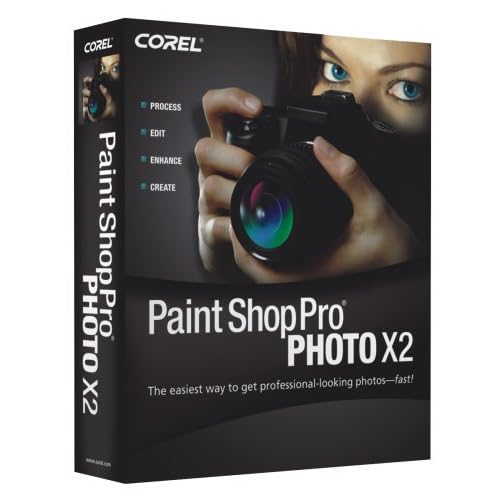
Amazon is currently offering Corel Paint Shop Pro Photo X2 for $39.99. This is a great price! I am not real certain about the finer workings of Paint Shop Pro as I have only used it on passing. I have a friend who uses it and really liked it. I've seen some neat things come out of PSP.

Anyway, I just wanted to share these deals for those that are wanting to get started, but not sure they want to invest a lot of money for trying it.

Keep in mind, that you are not limited to these 2 options. I personally use full-blown Photoshop. You can use desktop publishing software as well. So there are lots of possibilities out there.

Wednesday, January 11, 2006

Does Size Matter?

The beauty of digital scrapbooking is that you can scrap whatever size you want. It just doesn't matter. The only limitations on this are: your imagination and what your computer is capable of handling.

That said, there are factors to consider when selecting the size you'll do your layouts. Some of these things include:


» computer's limitations
» hard drive space
» printing options
» presentation
» desire
» photo resolutions

These are by no means the only things that you should consider when picking your layout sizes, but they are important to think about nonetheless.

A digital layout can have a very large file size. It can be RAM intensive. It can demand a lot from your computer. A 12x12 layout can easily run you 100-150MB (or more) on your hard drive – easily. Keep this in mind before you get started. Make sure you have the hard drive space before you get started to save yourself a lot of frustration down the road.

Questions you should ask yourself are:

» How will I store and/or present my layouts?
» Are albums readily available?
» Will my layout be a two page spread?
» Does consistency matter to me?

Today the most common scrapbook sizes are: 12x12, 8.5x11, 8x8, and 6x6. The most popular are by far the 12x12 and 8.5x11. This, however, doesn't mean that you cannot scrap other sizes, either bigger or smaller. That is the fun of it. You pick the size you like and go from there.

Unless specifically stated, kits available are 12x12 in size. These can easily be resized. I will address this in a different tutorial.

You do not even have to scrap the same size all the time. You can scrap according to your needs and/or wants. For example, I started a special 5x7 (landscape) scrapbook for my husband's grandmother. A small album size filled the need and was easily carried around in a walker basket. Albums in the landscapre orientation where harder to find, but they are available both locally and online. This size offers a challenge – getting the stuff on the page. It is a small size and doesn't yield itself well to a lot of photos or embellishments, but it suited my needs. Incidentally, that size is perfect for filling a monitor screen for screensavers and online sharing.

I like the 8x8 size. It isn't too larger and it isn't too small. To me, it is just right. Albums are readily available that size.

You should consider your photo resolutions before picking a size. If you have older digital images, you likely will not be as impressed with their quality at 8x10 size, but they might be perfect for a 4x6 size. Keeping this in mind when you are doing your layouts will not leave you disappointed in the quality. You cannot improve the quality of a low resolution image so don't make it larger than it has the quality to be. You can easily use more smaller images with your older digital images. This is a consideration when scanning images as well -- scan at higher resolution than you think you will need, it is easier to scale down than up.

Let's talk software

Digital Scrapbooking Software

Now let's talk software!

Digital Scrapbooking doesn't necessarily require any fancy software to get started. It doesn't. It doesn't even completely require graphic editing software as many desktop publishing packages are quite capable of handling the digital scrapbook layouts. You aren't limited to just a few pieces of software. You can use one, two, or a combination of any that you like. This is in no way a complete listing of software available or even usable.

Graphic editing software that can be used for digital scrapbooking:


» Adobe Photoshop
» Adobe Photoshop Elements
» Jasc Paint Shop Pro
» Corel Draw
» Microsoft Digital Image Pro
» Microsoft Picture It
» Macromedia Fireworks
» The Gimp
» Ulead Photo Impact

Like I said, this is not an all inclusive list, but it is one that is simply intended to get you started.

The most important things about selecting the software you will use to do your digital scrapbooking are:


» will run adequately on your computer
» supports PNG, JPG, and GIF formats
» supports transparency
» works in layers (or the similation of layers)
» has the ability to drop shadows
» and you are comfortable using it.

I don't recommend trying to run Adobe Photoshop CS2 on a computer more than a couple of years old, but the older version 7 would still run relatively efficiently on a computer of that age. So you need to make sure you know what your computer can and/or will handle first and foremost. You will be happier in the long run if you do that.

You do not even need the most recent version of these software packages, but there is a point where it is time to draw a line above the Titanic and work up. Adobe Photoshop Version 7 is still a very ample program, but Photoshop version 5 will yield some problems. Photoshop Elements 3 is perfectly acceptable. Photoshop Elements 2 has some problems rendering transparency on certain files.

The point is, you do not have to sell the family farm to get the software needed to scrapbook digitally. There are so many options. With the options come a variety of prices as well. That is the beauty of it all.

Keep in mind that Adobe and Macromedia are now the same company – Adobe. Jasc and Corel are now the same company – Corel.

It is important that the software supports PNG, JPG, and GIF formats. PNG and JPG are the most common digital scrapbook formats available on the web today. Any kits that you download for free or buy will contain files in the PNG or JPG formats. PNG and GIF formats support transparency. JPG are high quality, compressed files.

Transparency is important in that you don't want your embellishments to be on white (or any color for that matter), unless your page is white. You want realistic embellishments on the page colors and patterns of your choice. Transparency is important!

Drop shadows give your digital layouts a sense of realism. While a montage style layout may not require drop shadows, if you want to duplicate the realistic paper like scrapbook pages, drop shadows are key to your success.

Layers allow you to put things behind others. You layer things on a traditional paper scrapbook layout, you'll do the same digitally.

It is also important that you are comfortable using the program of your choice. Whatever you chose to use, learn how to do the basic things. Go to the library and get books. Go to the bookstore and get books. Go online and do web searches. Read the help files that came with your program. Take a class if one is available. Learning the program and and its techniques and terminology is essential to completing a digital scrapbook page without extreme levels of frustration. Think of it this way, it is one more piece of software you would be able to put on a resume if you ever needed to, so take the time to learn it. Enjoy learning it.

Software Overview

I want to give a brief overview of the software options in the list above. Please keep in mind that this in no way will be a comprehensive list. It is not intended to be. It is what my understanding about these programs are, nothing more. This is to simply raise awareness of what some of your options are.

Many of these programs offer “free trials” for a period. If you are not certain what program is best for you and your learning style, feel free to try a few out and see what suits you best.

» Adobe Photoshop
Adobe Photoshop is probably the most expensive of the software packages available. It is the leading image editing software on the market in many aspects. It is quite pricey. Street price is approximately $650 for the most recent version. That isn't to say that you cannot get it cheaper, but that's the retail price. If you are a student and/or teacher, check academic pricing. Photoshop is a professional grade program. There is a learning curve, but with patience and practice the general user can learn the basics of Photoshop in a short time. There are a ton of books that can help guide you in your learning endeavors. Online tutorials are readily available.

» Adobe Photoshop Elements
Adobe Photoshop Elements is the stripped down version of Photoshop. It holds its own for digital scrapbooking and is totally ample for the general user who does not need or what the bells and whistles that Photoshop has to offer. It also has the added benefit that it is affordable for the general consumer. Retail price is approximately $90-100 for Version 4 (current version for PC) or $80-90 for Version 3 (current version for Mac). There are plenty of books to read up on how to use this program. Online tutorials are readily available. From what I have read, Elements 4 is digital scrapbook friendly. Photoshop Elements is more user friendly than Photoshop. It is an excellent program to test your feet out in the world of digital scrapbooking.

» Jasc Paint Shop Pro
Paint Shop Pro is a very user friendly program. It is also very affordable. Retail price for the most recent version X is approximately $130. In the Paint Shop family, there is Paint Shop Xtras – Scrapbooking Editions. Retail price is approximately $20. But how neat is it that a major software producer has taken scrapbookers under their wings and provided them tools to use specifically for scrapbooking? There are 7 different editions of the Xtras for scrapbooking to fit a variety of scrapbooking styles. Online tutorials are readily available for Paint Shop Pro. Many of the digital scrapbooking specific tutorials found online are for Paint Shop Pro. It is a great program to test your feet out in the world of digital scrapbooking and beyond.

» Corel Draw
I believe the most recent version of Corel Draw is Corel Draw Graphics Suite 12. Retail price is approximately $400. Or, there is the Corel Creative Collection that is only $130. Like Adobe, Corel has different levels of programs to suit different users. There are some tutorials available online. However, Corel has put some digital scrapbooking relevant tutorials on their own website.

» Microsoft Digital Image Pro

» Microsoft Picture It

» Macromedia Fireworks
Retail price is approximately $300 for Fireworks 8 (most recent version). The one benefit to Fireworks is that its native file format is PNG. Makes it easy in the sense that most kit elements are going to be PNG. It is my understanding that Fireworks was intended for the “web graphics” industry more so than photo editing, but I personally think that it could hold its own in the industry. I used it exclusively with no problems until I made the switch to Photoshop.

» The Gimp
The Gimp is an open source software package. It is free. It is similar to Adobe Photoshop, that was their intentions anyway. There is a learning curve. In some ways, I would say that it is worse than Photoshop, but in other ways I wouldn't say it is any worse. The major drawback to this is that documentation and tutorials are typically limited. However, doing a Google search did yield online tutorials that could easily be used for digital scrapbooking purposes.

» Ulead Photo Impact
Retail price is approximately $90 for version 10, or approximately $100 for PhotoImpact Pro 10.

Getting started with digital scrapbooking

If you are new to digital scrapbooking, there are some basic tools that you will need to acquire. The list is the same for anyone whether or not you've paper scrapped before or not. That is the beauty and simplicity of digital scrapbooking. My goal in providing this information is to simply get you started. Which particular “brand” you choose to use from the tools on this list is entirely up to you, I am only giving you a list to get started with. As you grow and learn, you can change your tools and adapt to your new style and techniques.

Basic Digital Scrapbooking Tools


Keep in mind, that this is the basic list. It is in no means a complete list. It will not suit the needs and/or wants of everyone.

Basic digital scrapbooking tools include:
1. Computer
2. Graphics Software
3. Digital Pictures

That is pretty much all you need to get started with digital scrapbooking. Pretty simple, huh?

Now, don't panic if you don't have a digital camera. A digital camera is NOT required to digital scrapbook. That is the beauty of picture CDs that you can get when you drop off your film for development. If you have a scanner, you can scan printed pictures you already have. If you do not have a scanner, you can take them to a film developing place that does have one (ie Kodak Picture Kiosks).

Don't think that you need to rush out and buy a brand new computer. You don't. Many people make do with what they have. Digital scrapbooking only requires 2 things in bulk – RAM and hard drive space. If you've got that, you are good to go! I'll go more into detail on this in a little bit.

Don't think that you have to rush out and buy the latest and greatest graphic editing software to get started with digital scrapbooking either. You don't. You might have something on your computer right now that will work to get you started. If you are already comfortable using a particular software package, don't feel you have to change. You don't. So look on you computer and see what you have.


Optional Digital Scrapbooking Tools

Now that we've covered the basics, let me give you a list of optional tools. Remember, these are not required to digital scrapbook, but they can be useful.

Optional digital scrapbooking tools include:
1. Digital Camera
2. Scanner
3. Photo Printer
4. CD or DVD Burner

A digital camera make it super easy to get your digital pictures. Do not feel that you have to go out and buy a new digital camera if you have an old one. Just keep your current camera's capabilities in mind when you are designing your layouts. If you don't ask more of it than it is capable of, it won't disappoint you. A scanner can be used for scanning old pictures, embellishments, and other things. A photo printer can be used to print your layouts or just simply to print proofs before you have them printed at a lab. The CD/DVD burner is to help take care of the “space” problems that many digital scrapbookers run into.

Now, you're probably wondering just how much RAM and harddrive space you'll need if you many digital scrappers run into “space” issues. It is entirely up to you. I recommend no less than 256MB of RAM. Remember that how much your NEED is highly dependent on the software package you choose to use. Before upgrading to any software, I highly recommend that you check the software's minimum and recommended requirements before making your final decision.

As for hard drive space, that is entirely up to you. I wouldn't have anything less available hard drive space than you have RAM. For example, if you have 256MB of RAM, I highly recommend that you have a minimum of 265MB of harddrive space available for use. This is especially true if you are running Adobe Photoshop or Adobe Photoshop Elements (more so Photoshop than anything). A typical digital layout can run between 30-100MB easily! The larger your layout, the larger your file size. If you chose to use other peope's predesigned page kits, you will need storage space for them and they can be huge! I highly recommend that you have NO LESS than 3-4Gig of free space on your hard drive at any given time, but I like having room to breathe.

If you do have limited hard drive space but you also have a CD burner, then don't panic. Do a few layouts and see what your own average layout file size is. Typically a CD will hold about 700MB of information. If your average layout is 50MB, then you will be able to get approximately 13-14 layouts per CD. You can do that number of layouts and then burn them to CD and free up your hard drive space again.

Of course, you can always get an external hard drive to use just for digital scrapbooking. It is entirely up to you.

Credits: Stacey Sansom's "Summer Delights" | Fonts used: ...............