This product was created by Stacey Sansom. You can find information about Stacey, specials, new products, and where to purchase products at Stacey's Digital Scrapbook Creations and/or Stacey Sansom Digital Scrapbook Designs (http://digiscrapcreations.blogspot.com). I keep the list of where to buy my products updated on my blog, so if in doubt look there.
This product is SCRAP FOR HIRE friendly.
You MAY USE this product for personal use and/or scrap for hire use. This includes, but is not limited to: scrapbook layouts, flyers, brochures, cards, etc. You may use this product to create items for others so long as they are given as gifts in either a flattened, single layer digital file (finished product) or printed format. This may also include using this product to create handouts, flyers, invitations, brochures, etc for churches, non-profit organizations, etc. This includes if you want to use this product to scrap other individual's pictures and memories as a paid service. If you are paid for an end product, it is a "scrap for hire" use and you may use this product so long as you provide the end product in a flattened, non-editable format.
If you are interested in "COMMERCIAL" use of this product, please contact me at sasansom@yahoo.com and we will discuss the terms. This includes using items to create other items that you will then turn around and sell as your own. I generally do not allow this use, but with the right incentives I am willing to consider it. Contact me.
You MAY NOT use this product to create quick pages or templates that are sold (or given away) as this would constitute commercial use. You may create quick pages and/or templates for your own use or in a "scrap for hire" setting, but please abide by the "scrap for hire" guidelines.
You MAY USE this product for "CHARITABLE CONTRIBUTION" use if the end product is a flatted, non-editable format. This includes if you want to advertise a charity or if you would like to offer an item or service using this product in an auction or fund raising type setting.
You MAY USE this product for as many scrapbook pages as you like. Do not feel you may only use this product one time in one layout or project. Create a whole album from this product. That is the beauty of digital - repeat use.
You MAY PRINT scrapbook pages or other projects using this product as many times as you like. If you need 10 copies of a particular item for a hybrid project, go for it! If you need 10 copies of the same layout to give as gifts to 10 different people, then print, print, print.
You MAY POST scrapbook pages using this product in as many online galleries as you see fit to post them in. Please give credit where credit is due. I like seeing my products in use. I do occasionally run across layouts using my products and it brings me great joy. I even leave comments in galleries where things are posted.
You MAY SUBMIT for publication in various magazines (digital, print, or otherwise). Just be sure to give credit where credit is due. State my name (Stacey Sansom) as the designer, the item used, and the product name where the item was found. If your submission is selected for publication, please let me know I would love to hear about it/see it. Email me at sasansom@yahoo.com and let me know about it.
PLEASE GIVE CREDIT WHERE CREDIT IS DUE! This credit includes stating my name (Stacey Sansom) as the designer, the items used, and the product name where used items were found. If you use a brad from "Kit A" state: "brad found in Kit A by Stacey Sansom." I'd appreciate if you also give some indication of where you purchased said product - either a store name and/or link or a link to my blog (http://digiscrapcreations.blogspot.com) is appropriate.
You MAY NOT REDISTRIBUTE this product. This includes digitally or otherwise. You MAY NOT resell this product in full or in part. If someone wants a copy of it, tell them where they can get their own copy. You MAY NOT distribute this product in full or in part via email, email lists, online groups, file sharing services, etc.
You MAY STORE this product on more than one saving device or computer so long as you own said device. I recommend that you make regular backups of all your digital scrapbooking goodies (layouts, kits, etc). You MAY NOT, however, store this item on a friend's computer or external hard drive (or any storage device that does not belong to you). If your friend or family member does not reside in your household and wants their own copy of this product, tell them where to find this product so that they may purchase their own copy.
You MAY USE this product for blog banners, web backgrounds or elements, etc. You MAY NOT use this product to create website and/or blog templates for sale (or give away) as this would constitute commercial use. You MAY USE this product in a custom design for multiple individual clients so long as no end results are the same. If you are interested in using this product for creating website or blog templates for sale (or give away), please contact me first at sasansom@yahoo.com and we will discuss the terms.
Friday, April 03, 2009
New TERMS OF USE
I have decided to alter my Terms of Use a little bit. Those of you who are interested in Scrap 4 Hire use will find these new terms to your liking.


Wednesday, April 01, 2009
Wanting to get started?
If you're wanting to get started with digital scrapbooking, you're probably wondering just what you need. First and foremost, you need software to work with. Now, some of you might already have something that is sufficient for your needs (especially at this stage) and should attempt to work with this.
What kind of software do you need?
Layer support is important because it makes life so much easier. Just like a physical paper scrapbook page, you layer things onto a base piece of paper or card stock. You'll do the same in digital scrapbooking. The easier you make this on yourself, the better. So find something that allows you to see your layers in some sort of layers palette. This may not seem like much, but you can easily select the layer and get to work and it makes life easier in the long run.
Transparency support is important because many of the embellishment files have clear parts around the actual item itself. If your program does not support transparency, you'll have to cut this white area out of your layout before you use it. Might as well have it already gone. Most newer programs will support this without questions. I know that Photoshop 5, Photoshop Elements 2, and Fireworks 1 had no or spotty transparency support. These are much older versions of the programs so not to worry so much about if you're in the market for software.
JPG and PNG image format support is important because this is the standard format you will find your digital scrapbook supplies in. Often you'll find templates in PSD or TIFF format, but that's only relevant if you are going to use templates. You can recreate layouts from templates without having to import them into the layout in your program. They become more of a "sketch" then, but still the concept is the same. Often you'll find some templates as multiple PNG files that you simply layer back together. To get started, however, you simply need to have a program that will support the image format for the embellishments and papers. Typically papers are in JPG format. Embellishments and alphas are typically in PNG format due to their need of transparency around the items. PNG provide better quality transparent images than the GIF format.
Drop shadow creation is important because this will help add depth and realism to your digital layouts. These can be done either via the program settings or manually. Either is acceptable. To create a shadow manually, you'll need to have a feature that allows you to "blur" a shape or provides you with a soft brush to brush in the shadows yourself. Remember that often your embellishments do not come with shadows already on them so this is something you can't ignore if you want a layout with a bit of realism to it.
What programs do I recommend for beginners? I don't have a preference so long as you are comfortable with your program. I firmly believe that anyone can learn to use a certain program if they put their heart and soul into it. They really have to want to learn it, however. There are a couple of popular programs that are good for the "beginner" and those I have posted here:
Adobe Photoshop Elements
 [ image from the Costco website ]
If you click this link (or on the image above), it will take you to Costco who is offering a great deal ($49.99) on Adobe Photoshop Elements 7 until April 5, 2009. This is the most recent version. It is probably one of the most popular programs used in digital scrapbooking.
Jasc Paint Shop Pro
 [ image from the Amazon website ]
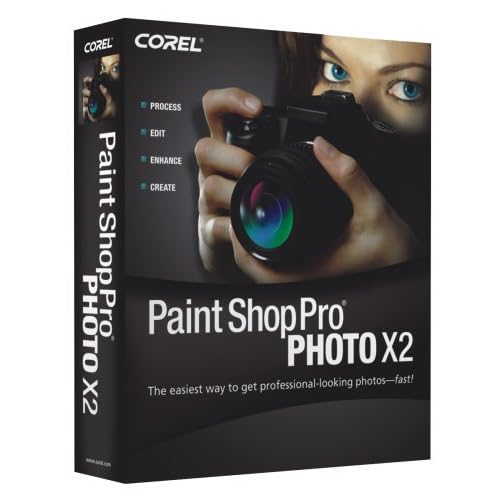
Amazon is currently offering Corel Paint Shop Pro Photo X2 for $39.99. This is a great price! I am not real certain about the finer workings of Paint Shop Pro as I have only used it on passing. I have a friend who uses it and really liked it. I've seen some neat things come out of PSP.
Anyway, I just wanted to share these deals for those that are wanting to get started, but not sure they want to invest a lot of money for trying it.
Keep in mind, that you are not limited to these 2 options. I personally use full-blown Photoshop. You can use desktop publishing software as well. So there are lots of possibilities out there.
What kind of software do you need?
• supports layers
• supports transparency
• supports JPG and PNG images formats
• allows drop shadow creation
Layer support is important because it makes life so much easier. Just like a physical paper scrapbook page, you layer things onto a base piece of paper or card stock. You'll do the same in digital scrapbooking. The easier you make this on yourself, the better. So find something that allows you to see your layers in some sort of layers palette. This may not seem like much, but you can easily select the layer and get to work and it makes life easier in the long run.
Transparency support is important because many of the embellishment files have clear parts around the actual item itself. If your program does not support transparency, you'll have to cut this white area out of your layout before you use it. Might as well have it already gone. Most newer programs will support this without questions. I know that Photoshop 5, Photoshop Elements 2, and Fireworks 1 had no or spotty transparency support. These are much older versions of the programs so not to worry so much about if you're in the market for software.
JPG and PNG image format support is important because this is the standard format you will find your digital scrapbook supplies in. Often you'll find templates in PSD or TIFF format, but that's only relevant if you are going to use templates. You can recreate layouts from templates without having to import them into the layout in your program. They become more of a "sketch" then, but still the concept is the same. Often you'll find some templates as multiple PNG files that you simply layer back together. To get started, however, you simply need to have a program that will support the image format for the embellishments and papers. Typically papers are in JPG format. Embellishments and alphas are typically in PNG format due to their need of transparency around the items. PNG provide better quality transparent images than the GIF format.
Drop shadow creation is important because this will help add depth and realism to your digital layouts. These can be done either via the program settings or manually. Either is acceptable. To create a shadow manually, you'll need to have a feature that allows you to "blur" a shape or provides you with a soft brush to brush in the shadows yourself. Remember that often your embellishments do not come with shadows already on them so this is something you can't ignore if you want a layout with a bit of realism to it.
What programs do I recommend for beginners? I don't have a preference so long as you are comfortable with your program. I firmly believe that anyone can learn to use a certain program if they put their heart and soul into it. They really have to want to learn it, however. There are a couple of popular programs that are good for the "beginner" and those I have posted here:
Adobe Photoshop Elements
[ image from the Costco website ]If you click this link (or on the image above), it will take you to Costco who is offering a great deal ($49.99) on Adobe Photoshop Elements 7 until April 5, 2009. This is the most recent version. It is probably one of the most popular programs used in digital scrapbooking.
Jasc Paint Shop Pro
[ image from the Amazon website ]Amazon is currently offering Corel Paint Shop Pro Photo X2
for $39.99. This is a great price! I am not real certain about the finer workings of Paint Shop Pro as I have only used it on passing. I have a friend who uses it and really liked it. I've seen some neat things come out of PSP. Anyway, I just wanted to share these deals for those that are wanting to get started, but not sure they want to invest a lot of money for trying it.
Keep in mind, that you are not limited to these 2 options. I personally use full-blown Photoshop. You can use desktop publishing software as well. So there are lots of possibilities out there.
Monday, March 23, 2009
More scrapping...
Here is another layout I've done in the past 3-4 months.

« CREDITS »
Papers: Stacey Sansom's "Berry Delights"
Brads: Stacey Sansom's "Berry Delights"
Ribbon: Stacey Sansom's "Berry Delights"
Journal block: Stacey Sansom's "Berry Delights"
Fonts used: Petra Script EF, Artistamp


« CREDITS »
Papers: Stacey Sansom's "Berry Delights"
Brads: Stacey Sansom's "Berry Delights"
Ribbon: Stacey Sansom's "Berry Delights"
Journal block: Stacey Sansom's "Berry Delights"
Fonts used: Petra Script EF, Artistamp


Updated a post
I just wanted to let everyone know that I updated a post from February where I posted a couple of layouts. I updated the credits and added the individual pages for larger viewing. You can check it out here.
Sunday, March 08, 2009
It is my birthday and you get the savings!
It is that time of year again...I'm not getting any younger so the savings get even bigger.

From March 7, 2009 until March 13, 2009 everything is 33% off at The Shaker Box.
ENTER CODE: BALB3
Minimum of $1 purchase is required.
Only on designs by Stacey Sansom Digital Scrapbook Designs
New products are being added.
Don't forget to grab the freebies.
Hit the products link at the top of the page!

From March 7, 2009 until March 13, 2009 everything is 33% off here on the blog.
Enter code: 067KZ998
New products being added!
Sale at The Shaker Box

From March 7, 2009 until March 13, 2009 everything is 33% off at The Shaker Box.
ENTER CODE: BALB3
Minimum of $1 purchase is required.
Only on designs by Stacey Sansom Digital Scrapbook Designs
New products are being added.
Don't forget to grab the freebies.
Sale here on the blog
Hit the products link at the top of the page!

From March 7, 2009 until March 13, 2009 everything is 33% off here on the blog.
Enter code: 067KZ998
New products being added!
Friday, March 06, 2009
Look what is going on!
A crop! A crop! A digital crop!

Now, everyone go check it out!
OK, so it isn't a 100% digital crop...there is something for EVERYONE...digital, paper, hybrid...so run don't walk there tonight and all weekend.
It starts tonight so get moving!
PS. I made the banner!
Now, everyone go check it out!
OK, so it isn't a 100% digital crop...there is something for EVERYONE...digital, paper, hybrid...so run don't walk there tonight and all weekend.
It starts tonight so get moving!
PS. I made the banner!
Wednesday, March 04, 2009
I have added new products to the blog store
I am still in the process of adding new products and updating old ones so please be patient. I have added 2 sets of quick pages.
QUICK PAGES: Gentle Blues 2 Quick Pages

Scrapbooking, digital or otherwise, shouldn't be difficult or time consuming. Use quick pages to help speed things along.
"Gentle Blues 2 Quick Pages" is a set of 2 quick pages that coordinate with the "Gentle Blues 2" starter pack.
Quick pages designed at 8"x8" and 300ppi.
Price: $1.50

Sample uses:
Coming soon!
QUICK PAGES: Gentle Blues 1 Quick Pages

Scrapbooking, digital or otherwise, shouldn't be difficult or time consuming. Use quick pages to help speed things along.
"Gentle Blues 1 Quick Pages" is a set of 2 quick pages that coordinate with the "Gentle Blues 1" starter pack.
Quick pages designed at 8"x8" and 300ppi.
Price: $1.50
Sample uses:
Coming soon!
Changes are good
Just remember that changes are good.
I am in the process of repacking kits and uploading them. Please remember that this is a slow process and will take some time.
That being said, I have repriced many of my kits. I am sure that MANY MANY MANY of you will like the new prices.
You will SOON be able to find my kits at:
• The Shaker Box
• 3 Scrapateers
• Natural Designs in Scrapbooking
• this blog (some of them anyway)
As a result of this, I will also be finishing up the redesign for this here blog of mine. Please be patient a while longer with the dust!
Keep checking back for further updates!
Monday, February 16, 2009
I've been scrapbooking!
I've been busy scrapping....Here are a couple I've been working on.

« CREDITS »
Papers: Stacey Sansom's "Array of Color – Blues"
Bow & Ribbon: Stacey Sansom's "Berry Delights"
Fonts used: Lemon Chicken, Bickham Script Pro


« CREDITS »
Papers: Stacey Sansom's "Array of Color", "Sunflowers and Daisies – Solids", and "Daisies"
Curly Brackets: Stacey Sansom's "Berry Delights"
Fonts used: New Times Roman, Vrinda


These are not the only layouts I have finished, but they are the ones I've got compressed for web display. I'll put up some more later.
January 2008 – Andrew's first orchestra concert (2 pg spread)

« CREDITS »
Papers: Stacey Sansom's "Array of Color – Blues"
Bow & Ribbon: Stacey Sansom's "Berry Delights"
Fonts used: Lemon Chicken, Bickham Script Pro


February 2008 – Andrew's Arrow of Light ceremony (2 pg spread)

« CREDITS »
Papers: Stacey Sansom's "Array of Color", "Sunflowers and Daisies – Solids", and "Daisies"
Curly Brackets: Stacey Sansom's "Berry Delights"
Fonts used: New Times Roman, Vrinda


These are not the only layouts I have finished, but they are the ones I've got compressed for web display. I'll put up some more later.
Friday, January 16, 2009
An informal announcement!
I have been on the search for additional stores to go into with my designs.
I am pleased to announce that you will soon find my stuff at 3 Scrapateers! How exciting is that?!?! I have to create 2 kits for them before they'll let me in the door, but I've picked my colors and I have some ideas, so soon (maybe) I'll be found at 3 Scrapateers in addition to The Shaker Box.
For those of you who are into hybrid scrapping, The Shaker Box will be expanding in this area. They are also going to be expanding their digital department. Now you can have the best of 3 different worlds – Paper, Digital, and Hybrid. You'll still be able to get their fabulous paper kits, but now they'll have more. You will be able to find MORE of my creations at The Shaker Box very soon.
I am still trying to decide on a 3rd store. I have 3 more to pick from. Meaning, I have been selected to join their store, but I haven't decided if it is the one for me. I really wish Theresa at NDISB would get back with me. *grin*
Saturday, January 10, 2009
These are the absolute honest to goodness truth!
So I am wasting time...surfing the web...browsing the various websites...following links to other websites...etc. Well, really I have been reading some of the articles that are relevant to design and web design. This is important! So I stumble upon this one website and find these:

[http://www.vonroxy.com/#Command-Z]
I need me one of those! They are very much a statement of "me". Kind of like the <GEEK> [front] </GEEK> [back] t-shirt Ben bought me! I LOVE IT!
[http://www.vonroxy.com/#Command-Z]
I need me one of those! They are very much a statement of "me". Kind of like the <GEEK> [front] </GEEK> [back] t-shirt Ben bought me! I LOVE IT!
Updating Blog
I've been using my new "logo" since August and I decided it was well past time I actually use it on my blog. Be on the look out for more changes to the blog as I am going to update it slowly over the next few weeks. Remember, change is good!
Thursday, January 08, 2009
Bouncing back...
After I was eliminated from the Digital Scrapbook Place Designer Finder Contest after only round 3, I really took it hard. Was I really cut out for this? I was starting to wonder. There was no explanation as to why I was eliminated. My friends could not understand it either when looking at all the contestants. They were floored. It really made mad, at the same time it made me question my ability.
Alas, it wouldn't keep me down forever. With all the health issues, I let it get me down a bit longer than I should have. By Christmas, however, I was ready to start taking on the digital scrapbooking world. I decided that this would be a good year for me. I wouldn't let anyone's decision in some contest get me down anymore. I also wouldn't let the economy get me down. I did the math and I had a 90% decrease of income from 2007 to 2008. There were a lot of factors that went into this that I will not get into here.
I am determine that 2009 is going to be a much better year.
So far...to date...it has been. I have been regrouping my thoughts and really letting the ideas take center stage. Over the next couple of months I will be working hard to make some of the ideas realities. Keep an eye out for what I've got up my sleeve for 2009!
Wednesday, January 07, 2009
Bringing it all up to date...well, my attempt to...
I am sorry for the absence. I was having a lot of health issues and it finally got to the point where updating the blog was just too much to bear looking at. I had my gall bladder removed the 2nd week in December and I am glad that I did. Then on into the holidays. I feel so much better today than I did a month ago!
Now, I am digging my way out from under the whole backlog of things to get done.
I thought I would start by updating the blog and let you all know what is going on. Not much right this second. I am merely regrouping my thoughts and planning my approach to digital scrapbook design in 2009.
I've decided that this year is going to be the year of FOCUS. I am going to have focus areas and those are the areas where I will work. These can change throughout the year, so don't be surprised. I have a lot of ideas swimming around in my head and it is time that they quit swimming and start gracing the digital world with their reality. So look forward to lots of new things from me this year! I can't wait to get started.
I'm on the search for more "visibility" in the digital world. I am not sure as to what this will entail as of right now. I just know I want to be seen more. I am currently looking at a variety of storefront options for selling my good. I'll keep you abreast as to what all transforms from these efforts.
My latest kit "Softly Winter" is now done!

This kit was designed as the digital add-on kit for the monthly kit club at The Shaker Box. As of right now, it has not been added to the store yet, but it should be available soon. I hear that there will be some changes coming soon over there, so keep an eye out for those.
I've spent some time scrapping as well. I still haven't finished my grandparents' Christmas gift, but I am working on it. That's what I've been working like a mad woman on. It is coming together nicely, but I'll be honest, I should have gotten started sooner. My goal is to have it finished by the end of the month.
Now, I am digging my way out from under the whole backlog of things to get done.
I thought I would start by updating the blog and let you all know what is going on. Not much right this second. I am merely regrouping my thoughts and planning my approach to digital scrapbook design in 2009.
I've decided that this year is going to be the year of FOCUS. I am going to have focus areas and those are the areas where I will work. These can change throughout the year, so don't be surprised. I have a lot of ideas swimming around in my head and it is time that they quit swimming and start gracing the digital world with their reality. So look forward to lots of new things from me this year! I can't wait to get started.
I'm on the search for more "visibility" in the digital world. I am not sure as to what this will entail as of right now. I just know I want to be seen more. I am currently looking at a variety of storefront options for selling my good. I'll keep you abreast as to what all transforms from these efforts.
The latest kit
My latest kit "Softly Winter" is now done!

This kit was designed as the digital add-on kit for the monthly kit club at The Shaker Box. As of right now, it has not been added to the store yet, but it should be available soon. I hear that there will be some changes coming soon over there, so keep an eye out for those.
Scrapping is therapeutic
I've spent some time scrapping as well. I still haven't finished my grandparents' Christmas gift, but I am working on it. That's what I've been working like a mad woman on. It is coming together nicely, but I'll be honest, I should have gotten started sooner. My goal is to have it finished by the end of the month.
Wednesday, November 19, 2008
Round 3 submitted
Well I've submitted my Round 3 Entry for the Digital Scrapbook Place Designer Finder Contest. That was hard work. We had to create specific elements to go with the papers created in Part 2 of Round 2. We had to create a bow with ties, frame, and flower. We also had to create a metal element (it could be one of the "must have" elements) or just one of the 8 required for the kit.
It is done:

It is done:

Friday, November 14, 2008
Designer Finder Round 2 Completed and Submitted
I have completed Round 2 of the Digital Scrapbook Designer Finder Contest! I am excited to be done.
Here is my part 2 submission:

Four papers created using a 5 color schema. Only 5 colors. This pack includes 1 solid, 1 solid with embossing, and 2 patterned papers.
Here is my part 2 submission:

Four papers created using a 5 color schema. Only 5 colors. This pack includes 1 solid, 1 solid with embossing, and 2 patterned papers.
Wednesday, November 12, 2008
Round 2, Part 1
Well we are into Round 2 of the Digital Scrapbook Place Designer Finder Contest.
This round had an additional challenge in it.
We had 2 parts:
1. Create a scrapbook layout using the kit we created in Round 1
2. Create 4 papers based on an assigned color scheme (5) colors and nothing more.
Here is my Round 2 Part 1 submission:

You can see all of the submissions to the contest by going to the gallery at Digital Scrapbook Place.
Friday, November 07, 2008

Subscribe to:
Posts (Atom)
Blinkies


About Me

- 4guysandme
- TX
- I am many things to many people. I am mom to 3 wonderful boys. I am wife to Ben. I am a web designer. I am a graphic designer. I am a Phi Theta Kappan.